
I'm Troy. This is little t.ROY.
t.ROY is the AI agent I built to work next to me. It coaches people inside Steel Man Resumes. For businesses it runs marketing, gives advice, writes the reports and covers the front desk. Same agent, different jobs. Test it below.
One agent. Different jobs.
I don't build a new bot for every problem. I give t.ROY a job, the right files and a short set of rules. These are the jobs I've given it so far.
Coach · in Steel Man Resumes
Walks you through it.
It works through a résumé and a job search with a person, one step at a time. It has hands and feet: in the Forge and the Refinery it can find jobs, save one, set a follow-up date, and take you to the right screen and point at the button. It can't delete or send anything.
Front desk · on this site
Answers, books, hands off.
It answers from my real work, offers times from my calendar and passes the hard stuff to me. It's in the corner of this page.
Marketing manager · for a business
Drafts in your voice.
It plans and drafts the posts, pages and emails in the owner's own voice. Nothing goes out until a person says yes.
Advisor · in the client portal
Talks it through.
It helps an owner think a decision through using that business's own material, not the open internet.
Report writer · every week
Says what changed.
It turns the numbers into a plain-English report: what moved, what it means, what to do next.
Your job · what's next
Tell me the job.
If it's the same steps every week, we can write the rules and hand it over, with a person approving. Talk to Troy ›
Every job runs on the same rules: your material only, nothing goes out without a yes, and you own all of it.
Pick one. It answers live.
Tap a question and it goes straight to t.ROY. Or ask your own. On a phone, tap the mic on your keyboard and just talk. It reads it like typing.
Real answers, October 19, 2026.
why should i trust an AI consultant with no degree
Don't trust the degree, check the work. Everything on the homepage is live, and I'm one of the things he built. Ask me something hard, or tell me what you run and I'll show you what I'd do with it.
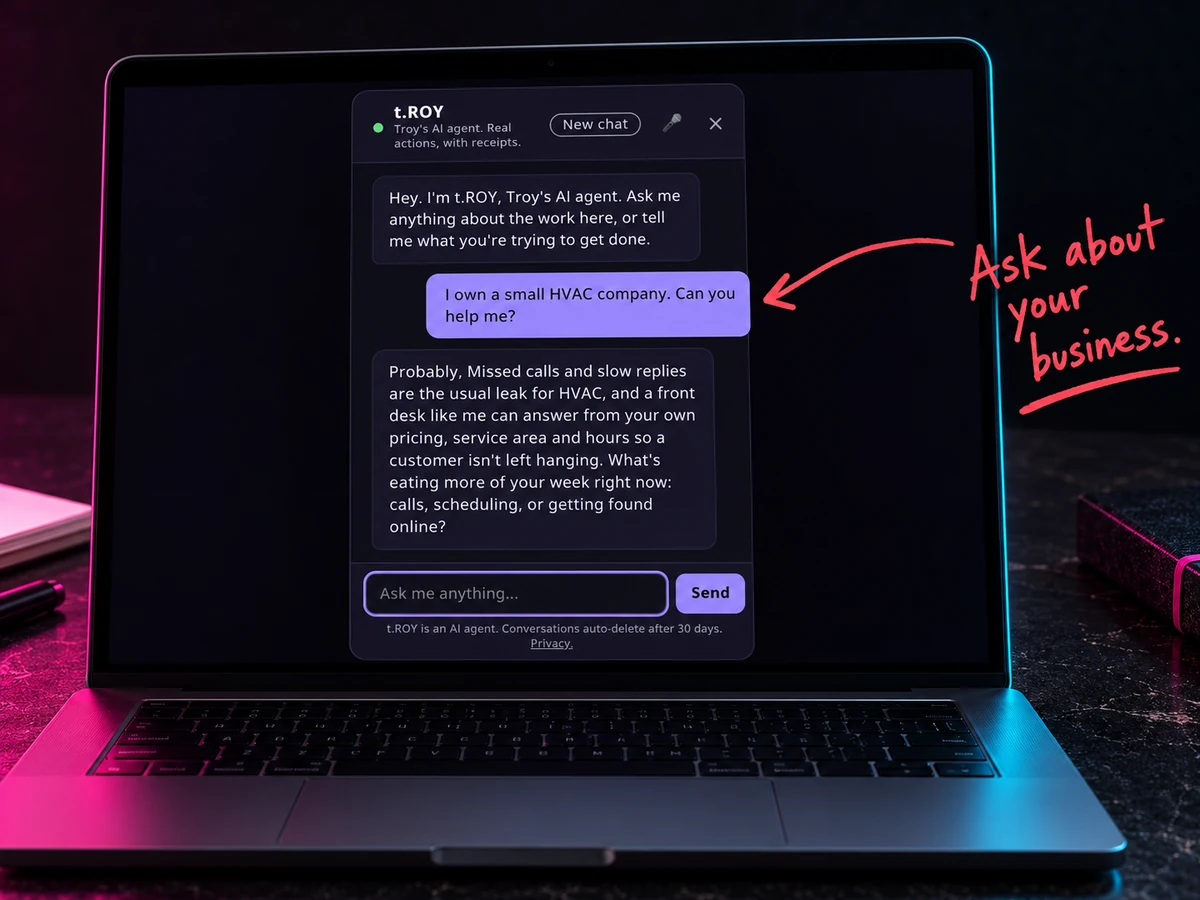
I own a small HVAC company, can you help me
Probably. Missed calls and slow replies are the usual leak for HVAC, and an AI front desk that answers from your own material fixes that. What's eating more of your week right now?
is my client data safe if we use AI
It is if you set rules first. Client names and case details never go into the chat tools, and nothing leaves until a person says yes. That's the first file Troy sets up with you.
Little t.ROY, moving.
A few loops of the agent, for when you'd rather see it than read about it.
Real work, not small talk.
- Answers from my real work. My clients, my method, my study. Not the open internet.
- Offers real times from my calendar. I confirm every meeting myself.
- Passes your details to me, only after you tap yes.
- Emails you a free resource you asked for, only after you say yes.
- Looks things up on the web when the answer isn't in my material.
The rules are part of the build.
- Make things up. If it doesn't know, it says so and gives you my number.
- Quote prices. That's a conversation with me.
- Send anything without your yes.
- Ask for your clients' or patients' details. It'll stop you if you start.
- Keep your chat forever. Conversations delete after 30 days.
Your business. Your voice. Same rules.
I build the same agent for clients, trained on your own material and your own rules, with whatever job you need filled. Casa Noble's answers restaurant guests in English and Spanish.
About t.ROY.
Is t.ROY a person?
No. It's an AI agent, and it'll tell you so. When you need a person, it gets you to me.
Why the name?
It's written t.ROY and said "t.roy." Next to me it's "little t.roy," because I'm big Troy. The small t is on purpose.
Can I talk to it instead of typing?
Use your phone's voice-to-text. Tap the mic on your keyboard and talk. It reads it like typing.
What happens to what I tell it?
Chats are saved for 30 days so the conversation can continue, then deleted. Your contact details only reach me if you tap yes. The details are in the privacy policy.
Can I get one for my business?
Yes. Same setup, trained on your material and your rules. The first conversation is free.